Why We Made Continuation the Default (Not Hard Cut)
A small but crucial shift in how Reverie handles transitions between clips—treating continuity as the norm, not the exception.
The Problem We Didn't See Coming
When we first built Reverie, every new clip started from scratch. Fresh prompt, fresh frame, no memory of what came before. It seemed like the neutral choice—a blank canvas.
But it wasn't neutral. It was broken.
Think about it: you're directing a scene. Shot one lands perfectly. Shot two, shot three—they all work. But by shot six, the room you built has vanished. The lighting shifted. The furniture moved. Suddenly your continuity falls apart, not because of a creative choice, but because our default was working against you.
Rethinking the Default
We realized we were thinking about this backwards.
In film, when a director cuts away to a completely different location or time, that's a decision. It's intentional. It's a cut—sharp, visible, purposeful. But we were making that the default behavior, which meant continuity had to be fought for instead of assumed.
So we flipped it.
Continuation is now the default. When you generate a new clip, Reverie remembers the previous frame and builds on it. The room stays the room. The light holds. Your visual story stays coherent.
Hard Cut becomes the deliberate choice. When you actually want that break—new location, new time, a visible seam in your story—you reach for it on purpose. That's when it belongs.
What This Means for Your Workflow
This shift sounds small, but it changes everything about how a cut holds together.
- Fewer takes wasted on fixing continuity that should have been automatic
- Faster iteration when you're building a sequence shot by shot
- More intuitive because it mirrors how directors actually think about transitions
- Creative control preserved because you still get to decide when to break continuity
The philosophy is simple: our tool should ask for your decisions, not make them by omission.
Building the Right Model
This wasn't a UI tweak. It required rethinking how our generation model handles frame-to-frame memory.
We had to make sure Continuation could hold complex scenes—multiple characters, layered lighting, intricate blocking—without degradation across 5, 10, or 15 shots in a row. Hard Cut needed to be genuinely hard, a reset button that felt intentional, not a fallback.
It's the kind of thing that only matters when it's working. When continuity breaks, you notice immediately. When it holds, it's invisible—which is exactly the point.
See It in Action
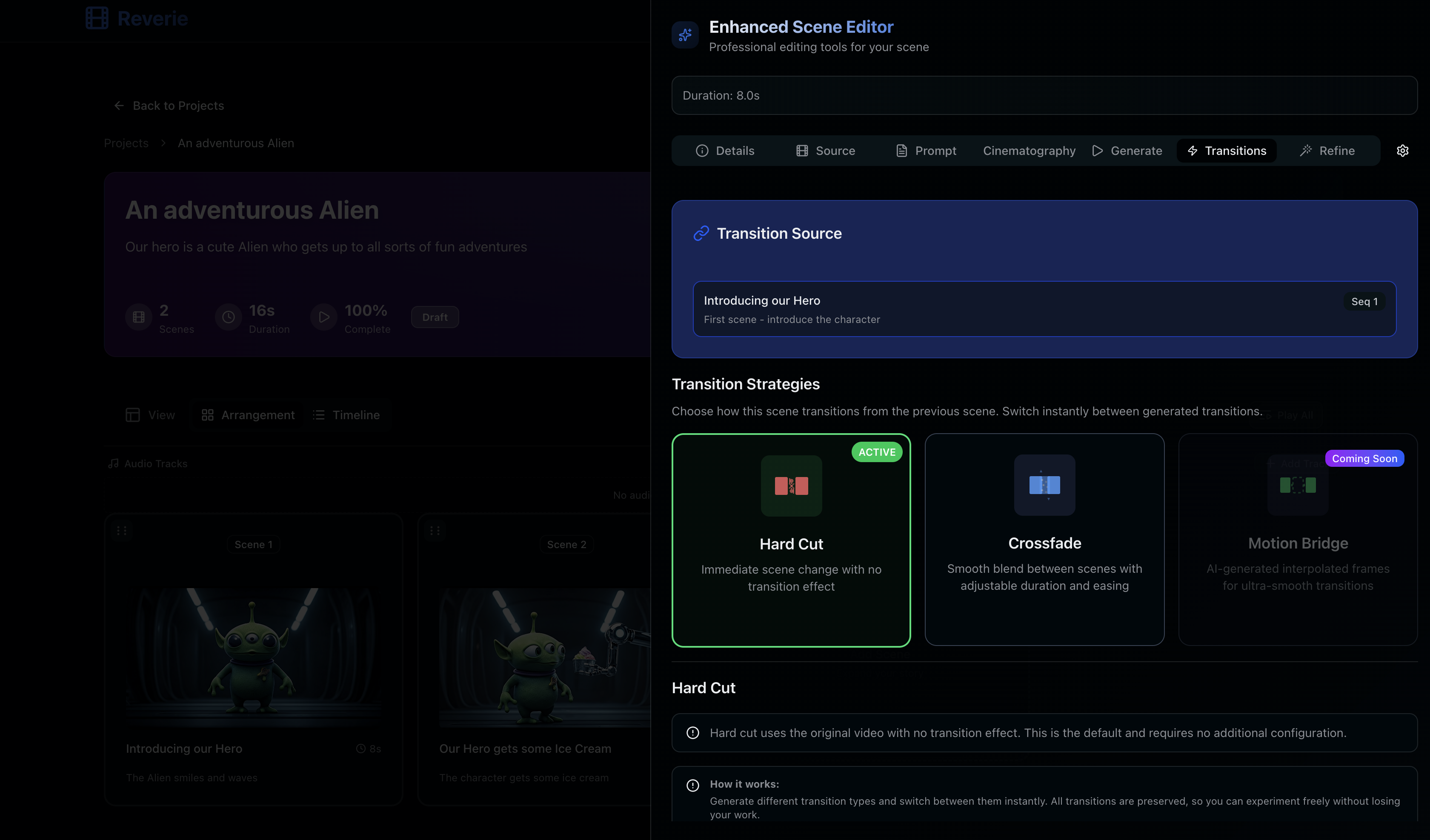
This is what continuity looks like across a real sequence. No tricks, no manual stitching. Just the default behavior of asking the right question before every cut.
What's Next
We're continuing to refine how transition memory works across longer sequences and more complex scenes. The goal is simple: make the default the right default, and make deliberate choices feel deliberate.
If you're building scenes in Reverie, try it. Generate a sequence with Continuation on. Then flip to Hard Cut and feel the difference. That's the shift we're shipping.
Start building today at https://reveriemovies.com?utm_source=blog&utm_medium=updates&utm_campaign=continuation-default-hard-cut and get 300 free credits to experiment with your own footage.